Torki Code
Previewing Your App in Horizon
Overview
Horizon is the browser panel in Torki Code. It docks beside the conversation so you can watch the app you are building while Torki works on it. It is made for your local dev servers: pages on localhost and similar addresses. Other websites open in your Mac's default browser instead.
Torki uses Horizon too. It can open your running app there, read it, take screenshots, check the browser console and network requests, and — when you approve — click, type and scroll on the page you are both looking at.
What it needs
Torki AI for Mac 1.10.8, signed in. To see your own app you need something serving it, such as npm run dev. Torki can start that for you; see Asking Questions and Giving Tasks.
Get started
1. Show Horizon
Click the globe button at the end of the tab strip, to the right of your file tabs (its tooltip reads Show Horizon). Or press ⌘T for a new Horizon tab; this also switches to Code if you are on Home. Click the globe again (Hide Horizon) to put it away.
2. Open your app
Type the address in the field marked "Open a page in Horizon", for example localhost:5173, and press Return.
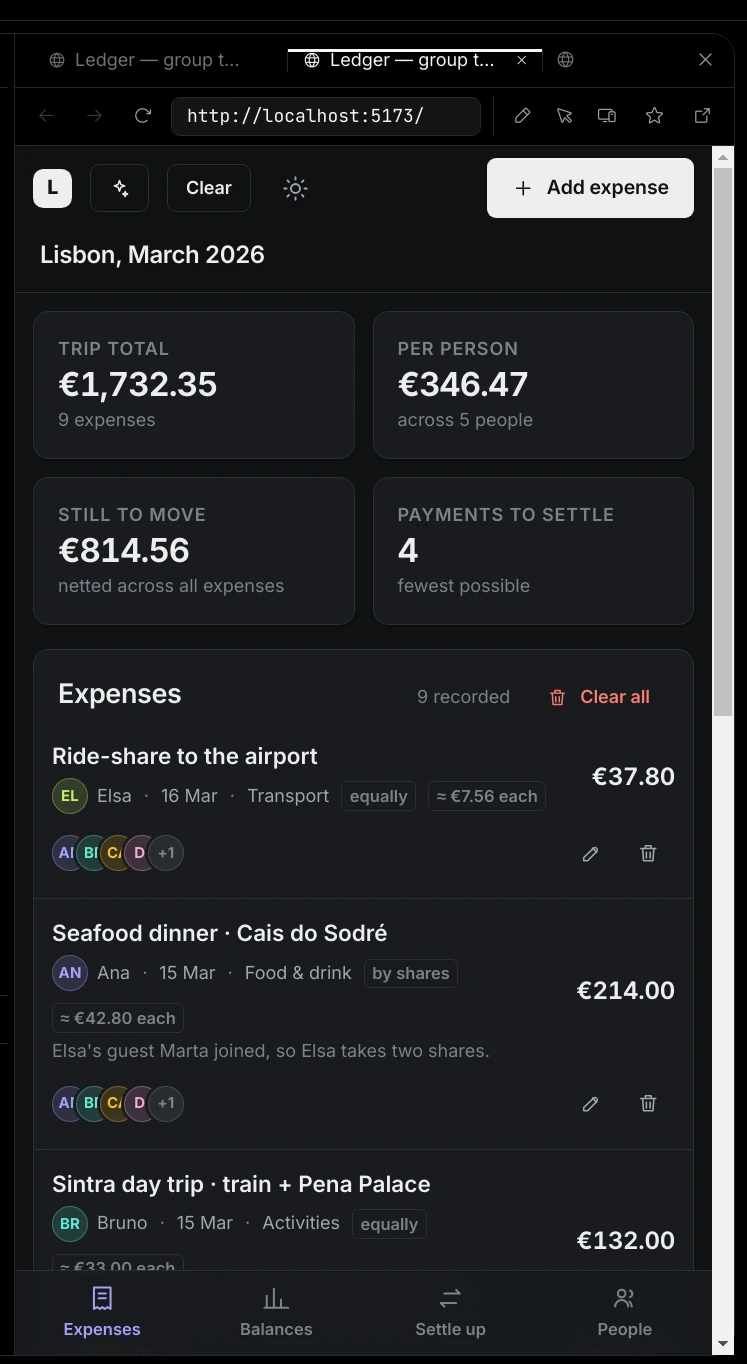
3. Make room
Drag the panel's left edge to make it wider or narrower; it is at least 320 pixels wide. Horizon remembers whether it was open.
What Horizon opens
Horizon opens these addresses only:
localhostand anything ending in.localhost127.x.x.x,::1and0.0.0.0- anything ending in
.test
Any other website opens in your default browser, not in Horizon. When you type one, you see "The panel is for localhost and dev servers, so host opened in your browser instead." Words that are not an address become a Google search, which also opens in your browser; nothing on screen says this happened. file: and about: pages are refused. The Open anything card on Horizon's new-tab page says docs and designs load there too; they do not, and open in your browser like any other website.
If a page in Horizon tries to go to another site on its own, Horizon stops it and shows "This page tried to go somewhere else", with an Open in browser button in case you expected it.
The panel's controls
- Tabs — up to 5 at once ("Only 5 Horizon tabs can be open at once. Close one first."). ⌘W closes the current Horizon tab.
- Back, Forward and Reload.
- Mark up the page (pen) — Horizon takes a picture of the page and you draw on it. Use Draw, Box and Undo, then Send to chat or Cancel. Your drawing stays until you send it or close the pen, even if the page changes underneath. The picture is attached to your next message as "Marked up address", so you can circle what is wrong and say what you want.
- Point at something on the page (cursor) — "Click an element to send it to the chat." Torki gets a picture plus that element's selector, text and HTML, attached as "About label on address". Esc cancels.
- Check this page at another size — Phone (390×844), Tablet (768×1024), Laptop (1280×800) or Fit the panel. A page with no viewport meta tag gets a note that a phone would lay it out at 980 pixels wide.
- Save this page (star) — adds it to Saved on the new-tab page. Click again to Remove from saved.
- Open in your browser — the same page in your default browser.
- Close Horizon.
A new tab shows Horizon's start page: a Search the web box, Recently open (pages you opened before), Saved (it reads "Star a page to keep it here." until you star one) and How it works. A search from that box does not load in Horizon, because only local pages do.
How Torki uses it
Looking at a page it built
After changing a page, Torki usually starts your dev server and looks at the result. That look happens in the background, not in Horizon: a Look at card appears in the conversation with the picture it took under SAW, and Torki reads the console errors at the same time. It works for .html files in your project and for localhost addresses. It does not need approval, because it only reads.
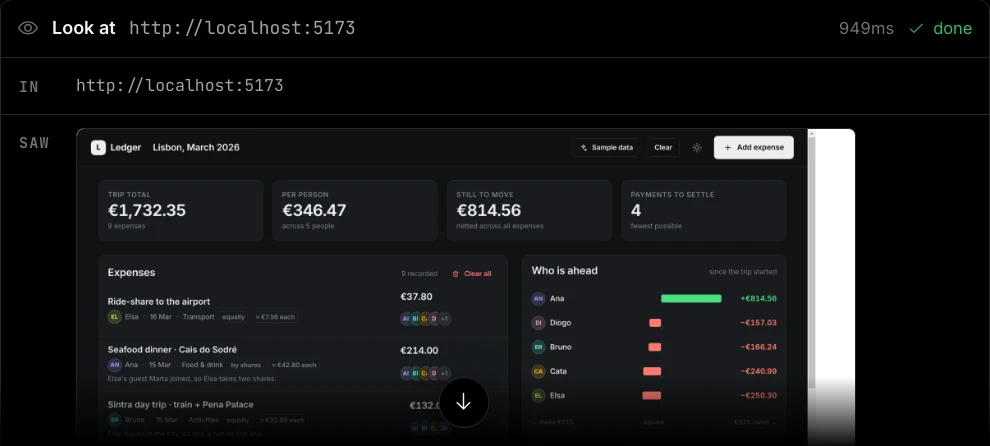
Starting the dev server is a command, so it follows your permission mode like any other. See Permission Modes and Approvals.
Working in Horizon
When Torki needs to use a page — open a dialog, fill in a form, follow a flow — it opens the page in Horizon, where you can watch. If no Horizon tab is open, Torki opens one. Torki can open the same local addresses you can; it is never allowed to open other websites, and does not hand them to your browser either.
With a page open, Torki can, without asking:
- read the page's text and its links, buttons and fields (card: Read page);
- wait for something to appear or finish loading (Wait for);
- take a screenshot (Photograph);
- read the console and the network requests (Page console, Page network).
Torki always works on the Horizon tab you have in front of you.
What asks first
Two things raise an approval card, headed Run a command like a command card:
- Opening an address. The detail reads, for example, "Open http://localhost:5173 in the browser panel".
- Each action on the page — a click, typing into a field, a key press or a scroll. The detail names the action, for example "click header > button:nth-of-type(4) on the open page" or "Type into #email on the open page". The clicks and keystrokes are real input, as if you made them.
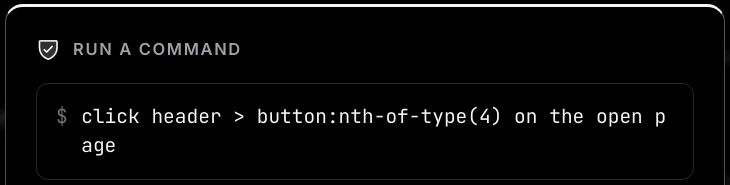
- In Manual and Accept edits, each one asks.
- In Full auto on a Mac they go ahead without asking. If Settings → Workspace → Commands reads "not confined — asks first", they ask even in Full auto.
- Ticking the box on the card stops the questions until you quit Torki, even if you open another folder: on an address card, for that site; on an action card, for every action on pages.
- If you deny, the card in the chat says "Declined. Nothing was done on the page."
Good to know
- Horizon clears its cookies every time you sign in to Torki, so you need to sign in to your app again after relaunching.
- The addresses of your open Horizon tabs are sent to Torki with each message, so "what is wrong with this page?" works.
- Pages Torki previewed are listed in the Ledger, where their rows have Open in browser; see Sessions, History and the Ledger.
- Horizon's history and saved pages stay on this Mac, per account.
Projects on a server
Horizon runs on your Mac, so localhost in Horizon always means this Mac. When Torki starts a dev server for a project on a server, it forwards it to this Mac once the server answers, and the address Torki reports is the one that reaches it from here. It uses the same port when that port is free here, and another one when it is not, so open the address Torki gives. For a dev server to show in Horizon, ask Torki to start it rather than starting it yourself in the server terminal. See Working on a Project on a Server.
When a page will not show
- "This page did not load" — usually the dev server is not running or is on another port. Start it, then click Try again.
- "This page stopped responding" — the page's process ended. Nothing else you had open was affected. Reload it.
FAQ
Can I use Horizon to browse documentation?
No. Only local addresses open in Horizon. Documentation and other websites open in your default browser. Torki can still read a public page for you; ask it to look something up.
Why did typing a word open Google in my browser?
Words that are not an address become a Google search, and searches open in your browser. Type the full local address, such as localhost:3000.
Can Torki click around my app without me watching?
Only in Full auto on a Mac where commands are confined (Settings → Workspace → Commands reads "confined to this folder"), or after you tick the box on a page-action card. Otherwise every click and every bit of typing asks first.
Does Torki need Horizon open to check its work?
No. Its usual check, the Look at card, renders the page in the background. Horizon is for when you want to watch, or when Torki has to interact with the page.
Why am I signed out of my app in Horizon?
Horizon clears cookies at every sign-in to Torki. Sign in to your app again.